Introduction
Dex is a federation layer, allowing systems to authenticate users from any number of upstream OIDC providers configured with Dex. This is especially useful in enterprise environments where multiple identity providers may be in use. Specifically, here are some benefits of using Dex as an intermediary between Parseable and authentik:
- Flexibility: Dex supports multiple upstream identity providers, so you can add more IdPs later without changing Parseable configuration.
- Standardization: Dex normalizes different authentication protocols into a consistent OIDC interface.
- Token management: Fine-grained control over token expiry, refresh policies, and session management.
- Separation of concerns: Your identity provider configuration stays independent of your observability platform.
If you're looking to directly integrate Parseable with an OIDC provider, refer to our OIDC documentation.
In this post we take specific example of Dex, Authentik, and Parseable - all deployed using Docker Compose for a simple developer environment. In production these components would typically be deployed in a more robust manner.
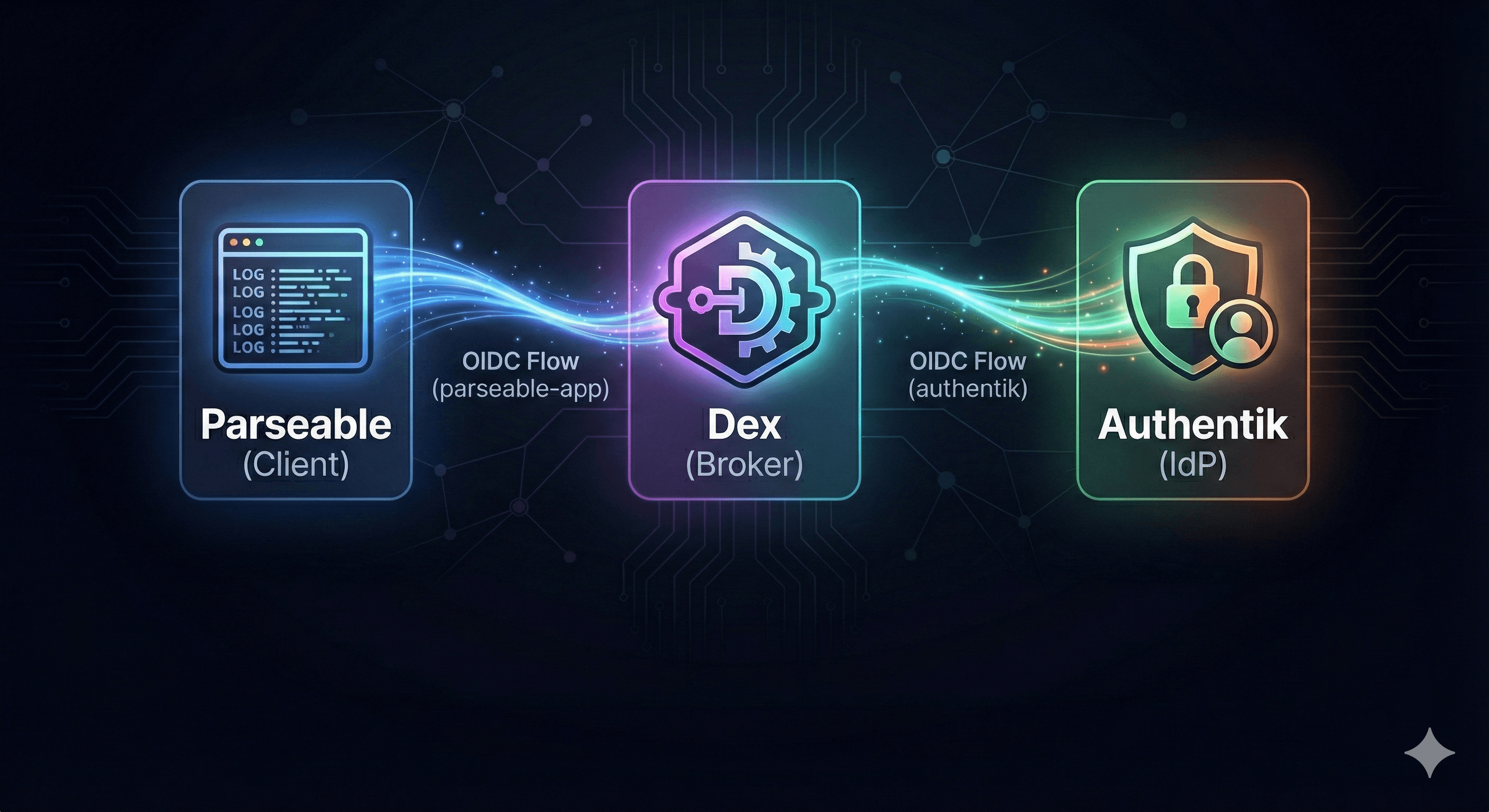
Architecture Overview
┌─────────────┐     ┌─────────────┐     ┌─────────────┐
│  Parseable  │────▶│     Dex     │────▶│  Authentik  │
│   (Client)  │     │  (Broker)   │     │    (IdP)    │
└─────────────┘     └─────────────┘     └─────────────┘
       │                   │                   │
       │   OIDC Flow       │   OIDC Flow       │
       │   (parseable-app) │   (authentik)     │
       └───────────────────┴───────────────────┘
The flow works as follows:
- User attempts to access Parseable
- Parseable redirects to Dex for authentication
- Dex redirects to Authentik (upstream IdP)
- User authenticates with Authentik
- Authentik returns tokens to Dex
- Dex issues its own tokens to Parseable
- User is authenticated and can access Parseable
Prerequisites
To be able to properly follow this setup, ensure you have:
- Docker and Docker Compose installed
- Authentik running and accessible. Refer to Authentik docs for setup.
- Parseable server ready to configure
- Basic understanding of OIDC concepts (client ID, client secret, redirect URIs)
Configure Authentik
First, create an OAuth2/OIDC provider in Authentik for Dex to use as an upstream connector.
- Log into your Authentik admin interface
- Navigate to Applications→Providers
- Click Create and select OAuth2/OpenID Provider
- Configure the provider:
| Field | Value |
|---|---|
| Name | Dex |
| Authorization flow | Select your preferred flow |
| Client type | Confidential |
| Client ID | Auto-generated (copy this) |
| Client Secret | Auto-generated (copy this) |
| Redirect URIs | http://localhost:5556/dex/callback |
| Scopes | openid, profile, email, offline_access |
- Save the provider
Next, create an application in Authentik that uses this provider.
- Navigate to Applications→Applications
- Click Create
- Configure:
| Field | Value |
|---|---|
| Name | Dex |
| Slug | dex |
| Provider | Select the provider you just created |
- Save the application
Note down the Client ID and Client Secret from the provider configuration. You'll need these for the Dex configuration.
Configure Dex
Create a dex-config.yaml file with the following configuration:
# Dex OIDC Identity Provider Configuration
issuer: http://localhost:5556/dex

# Storage configuration
# Using in-memory storage for development
# For production, use a persistent backend like SQLite, PostgreSQL, or etcd
storage:
  type: memory
  # For persistent storage, uncomment:
  # type: sqlite3
  # config:
  #   file: /var/dex/dex.db

# Web server configuration
web:
  http: 0.0.0.0:5556

# Upstream identity provider connectors
connectors:
  - type: oidc
    id: authentik
    name: Authentik
    config:
      # Authentik's OIDC issuer URL
      issuer: http://localhost:9000/application/o/dex/

      # Client credentials from Authentik
      clientID: YOUR_AUTHENTIK_CLIENT_ID
      clientSecret: YOUR_AUTHENTIK_CLIENT_SECRET

      # Dex callback URL
      redirectURI: http://localhost:5556/dex/callback

      # Scopes to request from Authentik
      scopes:
        - openid
        - profile
        - email
        - offline_access

      # Uncomment if you need additional user info
      # getUserInfo: true

# Logging configuration
logger:
  level: "debug"
  format: "text"

# Token expiry configuration
# Adjust these values based on your security requirements
expiry:
  deviceRequests: "5m"
  idTokens: "24h"
  authRequests: "24h"
  refreshTokens:
    reuseInterval: "3s"
    validIfNotUsedFor: "168h"    # 7 days
    absoluteLifetime: "720h"     # 30 days
    disableRotation: false

# Static clients - applications that can authenticate via Dex
staticClients:
  - id: parseable-app
    name: 'Parseable'
    secret: parseable-secret
    redirectURIs:
      - 'http://localhost:8000/api/v1/o/code'

# Skip the approval screen for trusted clients
oauth2:
  skipApprovalScreen: true
Replace YOUR_AUTHENTIK_CLIENT_ID and YOUR_AUTHENTIK_CLIENT_SECRET with the values from your Authentik provider configuration.
Understanding the configuration
Issuer: The URL where dex serves its OIDC discovery document. Clients use this to discover endpoints.
Connectors: Define upstream identity providers. The oidc connector type allows dex to authenticate against any OIDC-compliant IdP like authentik.
Static Clients: Applications that can request tokens from Dex. Parseable is configured here with:
id: The client ID Parseable will usesecret: The client secret for authenticationredirectURIs: Where Dex sends users after authentication
Token Expiry: Controls session duration and security:
idTokens: How long ID tokens remain validrefreshTokens: Policies for refresh token rotation and expiry
Deploy Dex with Docker Compose
Create a docker-compose.yaml file:
version: '3.8'

services:
  dex:
    image: dexidp/dex:v2.41.1
    container_name: dex
    command: dex serve /etc/dex/config.yaml
    restart: unless-stopped
    ports:
      - "5556:5556"
    volumes:
      # Refer the dex configuration file created earlier
      - ./dex-config.yaml:/etc/dex/config.yaml:ro
      - dex-data:/var/dex
    # Use host network if Authentik is running on localhost
    # Otherwise, configure appropriate networking
    network_mode: host

volumes:
  dex-data:
    driver: local
Start Dex:
docker-compose up -dVerify Dex is running by accessing the discovery document:
curl http://localhost:5556/dex/.well-known/openid-configurationYou should see a JSON response with OIDC endpoints.
Configure Parseable
Configure Parseable to use Dex as its OIDC provider. Set the following environment variables when starting Parseable:
# OIDC Configuration for Parseable
export P_OIDC_CLIENT_ID="parseable-app"
export P_OIDC_CLIENT_SECRET="parseable-secret"
export P_OIDC_ISSUER="http://localhost:5556/dex"

# Start parseable with OIDC enabled

parseable local-store \
  --p-oidc-client-id "$P_OIDC_CLIENT_ID" \
  --p-oidc-client-secret "$P_OIDC_CLIENT_SECRET" \
  --p-oidc-issuer "$P_OIDC_ISSUER"
Test the authentication Flow
-
Access Parseable: Navigate to
http://localhost:8000in your browser -
Redirect to Dex: You should be redirected to Dex's login page
-
Select Authentik: Click on the Authentik connector to authenticate
-
Authenticate with Authentik: Enter your Authentik credentials
-
Return to Parseable: After successful authentication, you'll be redirected back to Parseable with an active session
Troubleshooting common issues
Invalid redirect URI error
Ensure the redirect URIs match exactly:
- Dex config
redirectURImust match what's configured in Authentik - Parseable's callback URL must be in Dex's
staticClients.redirectURIs
"Unable to connect to issuer" error
- Verify network connectivity between services
- If using
network_mode: host, ensure all services can reach each other on localhost - Check that Authentik's OIDC issuer URL is correct:
http://localhost:9000/application/o/dex/
Token expiry issues
For testing, you might want shorter token lifetimes. Adjust the expiry section in Dex config:
expiry:
  idTokens: "5m"
  refreshTokens:
    validIfNotUsedFor: "10m"
    absoluteLifetime: "1h"
Debug logging
Enable debug logging in Dex to see detailed authentication flow:
logger:
  level: "debug"
  format: "text"
View logs with:
docker-compose logs -f dexProduction Considerations
Use HTTPS
In production, always use HTTPS for all endpoints:
# dex-config.yaml
issuer: https://dex.yourdomain.com

web:
  https: 0.0.0.0:5556
  tlsCert: /etc/dex/tls.crt
  tlsKey: /etc/dex/tls.key
Persistent Storage
Switch from in-memory to persistent storage:
storage:
  type: postgres
  config:
    host: postgres.yourdomain.com
    port: 5432
    database: dex
    user: dex
    password: ${DEX_DB_PASSWORD}
    ssl:
      mode: verify-full
Token Security
Adjust token expiry for production security requirements:
expiry:
  idTokens: "1h"
  refreshTokens:
    reuseInterval: "30s"
    validIfNotUsedFor: "168h"    # 7 days
    absoluteLifetime: "720h"     # 30 days
    disableRotation: false       # Enable rotation for security
High Availability
For HA deployments, run multiple Dex instances behind a load balancer with shared storage.
Role-Based Access Control
After authentication, you can map Authentik groups to Parseable roles. Dex passes through group claims from Authentik, which Parseable can use for authorization.
Configure group claims in your Authentik provider to include user groups, then map these to Parseable roles in your RBAC configuration.
For more details on Parseable RBAC, see the Role Based Access Control documentation.
Conclusion
You've successfully configured:
- Authentik as the upstream identity provider
- Dex as an OIDC broker/federation layer
- Parseable as the OIDC client application
This architecture provides enterprise-grade SSO with:
- Centralized user management in Authentik
- Flexible identity federation through Dex
- Secure OIDC authentication for Parseable
The separation of concerns allows you to:
- Add more identity providers to Dex without changing Parseable
- Manage users and groups in Authentik
- Control token policies and session management in Dex
For more information: