
Modern applications run on long-running, stateful processes. Take for example, a customer onboarding flow. Typically it used to be a single API request, but now it calls multiple services, waits for external confirmation, retries failed activities, compensates on failure, and continues across deploys and worker restarts.
AI agents add another layer: tool calls, human approvals, model retries, and branching execution paths that traditional logs can't explain on their own.
Temporal changed how teams handle this. It gives developers durable execution: they model critical business processes as code, and Temporal handles retries, timers, state, and recovery. For teams building payments, provisioning, data pipelines, support automation, and agentic workflows, that model is becoming foundational.
As more business logic moves into workflows, visibility matters as much as reliability. When a workflow slows down or fails, a final status isn't enough. You need to see what happened inside the execution:
- Which activity retried?
- Where was time spent?
- What failed?
- Was the workflow waiting on a signal?
- Did compensation run?
- Which workflow ID ties back to the rest of the system?
Operational shape of durable execution
A Temporal workflow is different from an HTTP request. HTTP requests have a short lifetime: they enter a service, touch a few dependencies, return a response, and disappear. Logs and traces built around that model are scoped to seconds.
A workflow can live for minutes, hours, days, or longer. It schedules activities, waits on timers, receives signals, retries failed work, calls child workflows, and resumes after worker restarts or deployments. It often represents a real business process: onboarding a customer, settling a payment, provisioning infrastructure, processing a claim, or coordinating an AI agent.
So the questions change. You're no longer only asking whether a request failed. But now, you want to know what path the process took, which step is blocking progress, which retry finally succeeded, which external system caused the delay, whether compensation ran, and how to correlate the workflow with a customer, tenant, region, or deployment. Answering those takes workflow-aware telemetry.
Parseable for the Temporal ecosystem
Parseable is now part of the Temporal partner ecosystem. We built a plugin that brings Temporal workflow and activity execution data directly into Parseable.
The plugin sits at the Temporal worker layer and emits workflow and activity execution data as OpenTelemetry logs and traces. Developers get visibility into workflow execution without rewriting workflows or building custom lifecycle logging around every activity. Temporal execution becomes queryable.
Once configured, workflow lifecycle events, activity attempts, retries, failures, durations, and traces are all available in Parseable. Teams get a structured way to inspect production workflows, search for failures, understand retries, and correlate execution with other operational data.
Adding Parseable to your Temporal workers [TypeScript]
The integration fits into the Temporal TypeScript worker setup. Install the plugin:
npm install @parseable/temporalAdd it to your worker:
import { workflowEvent } from '@parseable/temporal/workflow';
import { proxyActivities } from '@temporalio/workflow';

const { planActivity, runStep } = proxyActivities<typeof activities>({
  startToCloseTimeout: '1 minute',
});

export async function agentWorkflow(input: AgentInput): Promise<AgentResult> {
  workflowEvent('agent.started', { user_id: input.userId });

  const plan = await planActivity(input);
  workflowEvent('agent.plan.chosen', { steps: plan.steps.length });

  for (const step of plan.steps) {
    workflowEvent('agent.step.start', { tool: step.tool });
    await runStep(step);
  }

  workflowEvent('agent.completed', { total_steps: plan.steps.length });
  return { ok: true };
}
Configure the worker once, and workflow execution data starts flowing into Parseable. You don't rewrite workflows or change your execution model.
Adding Parseable to your Temporal workers [Python]
For Python, the flow would be similar, using the plugin's Python SDK to emit workflow events. The plugin captures Temporal's execution model and translates it into structured telemetry that fits into Parseable's queryable logs and traces.
pip install temporal-parseablefrom temporal_parseable.workflow import workflow_event
@workflow.defn
class AgentWorkflow:
@workflow.run
async def run(self, input: AgentInput) -> AgentResult:
workflow_event("agent.started", {"user_id": input.user_id})
plan = await workflow.execute_activity(plan_activity, input)
workflow_event("agent.plan.chosen", {"steps": len(plan.steps)})
for step in plan.steps:
workflow_event("agent.step.start", {"tool": step.tool})
await workflow.execute_activity(run_step, step)
return resultWe're also building Java Plugin to extend this to the broader Temporal Java ecosystem.
What this unlocks for Temporal users
Every workflow run now produces structured operational context: lifecycle events, activity attempts, retries, failures, durations, and trace spans showing how execution moved through the system.
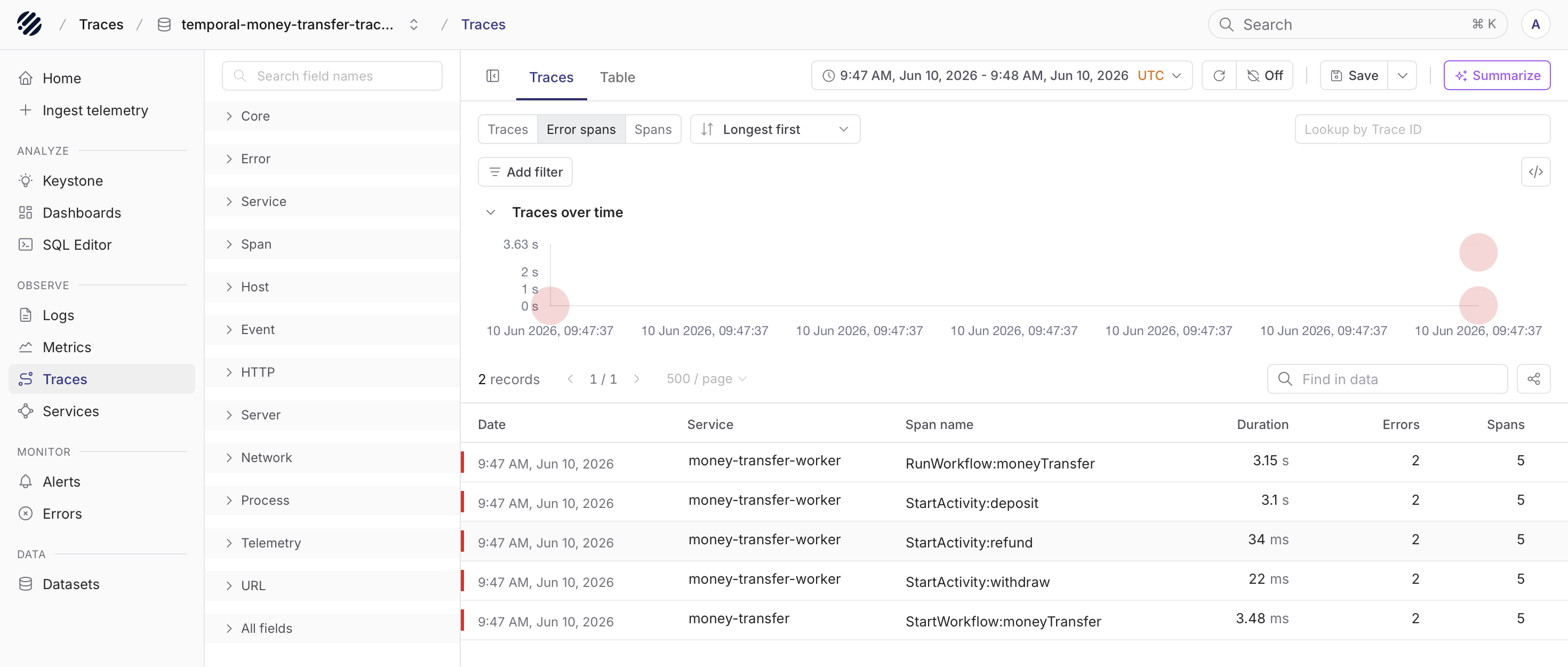
Instead of writing custom logging around every workflow and activity, developers get a consistent view straight from the Temporal worker. The activities failing most often, the slow workflows, the retry that finally succeeded, the workflow ID behind a customer issue, the step where execution spent most of its time — all of it becomes searchable.
Temporal handles the hard parts of distributed systems: retries, state, timers, failures, recovery. When something breaks, engineers need fast answers — searching across workflows, inspecting activity failures, understanding retries, connecting workflow behavior to the rest of the system.
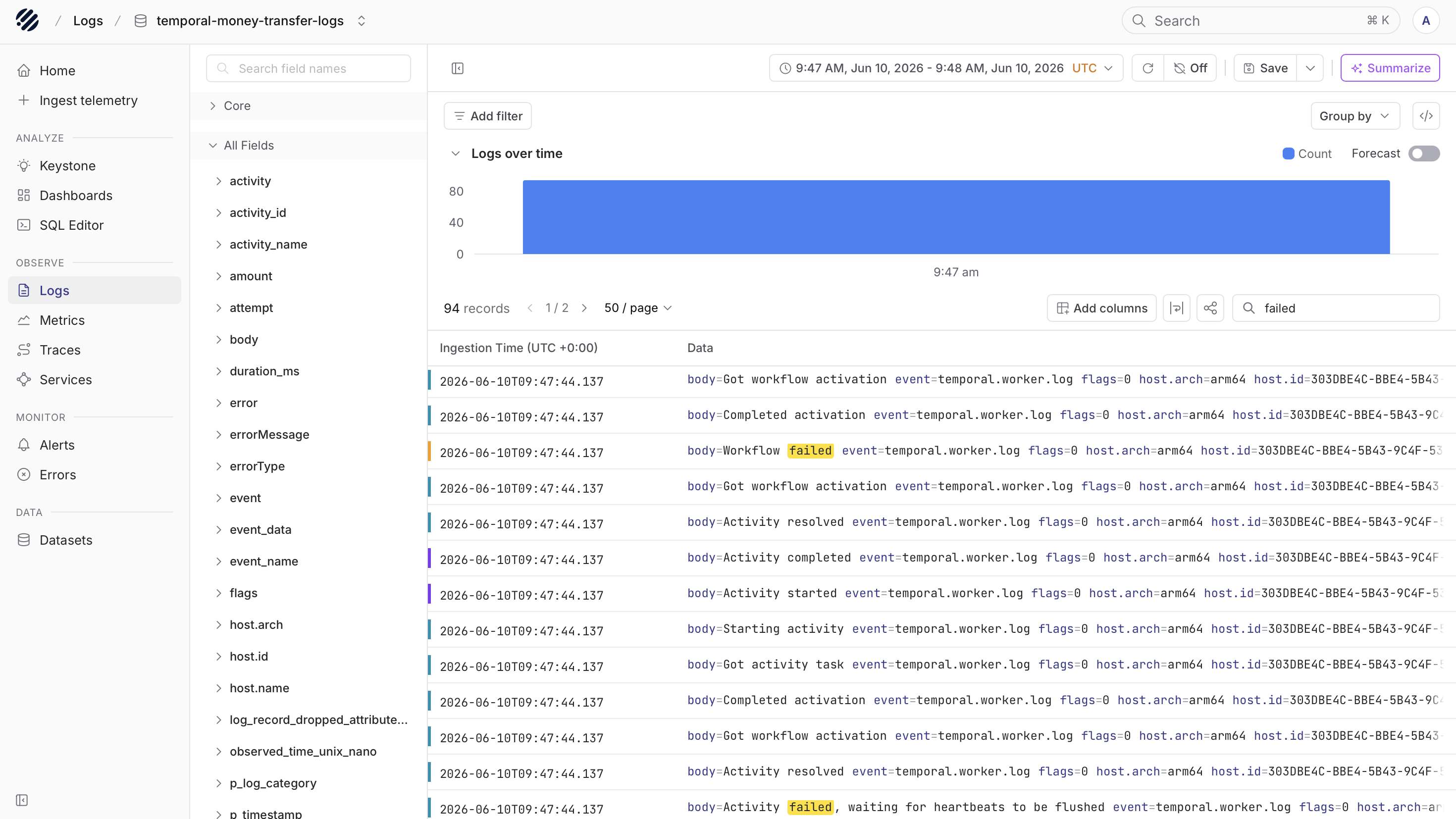
The plugin makes that practical without changing how anyone writes workflows. The execution model stays the same, but now the execution itself becomes visible.
For teams considering Temporal
If you're evaluating Temporal, treat observability as part of the production conversation from the start.
Durable execution lets business processes continue across failures, which also means your workflows run longer, branch more often, and carry more operational meaning than a request-response service. That's a strong reason to decide up front how you'll see inside them.
With Parseable, you can adopt Temporal knowing workflow and activity execution can stream into an observability system built for high-volume telemetry.
Conclusion
We built this so developers can understand what their workflows are doing. Hand Parseable a Temporal workflow ID and you can see which activity failed, how many attempts it made, how long each step took, whether compensation ran, and the full trace of the execution path.
As durable execution becomes a building block for modern software and AI-native orchestration, that visibility will matter more.
Temporal makes execution durable. Parseable makes it understandable.
TypeScript:
- Plugin source: github.com/parseablehq/parseable-temporal-plugin
- npm package: npmjs.com/package/@parseable/temporal
- Temporal TypeScript docs: docs.temporal.io/develop/typescript/observability
Python:
- Plugin source: github.com/parseablehq/temporal-plugin-python
- PyPI package: pypi.org/project/temporal-parseable
- Temporal Python docs: docs.temporal.io/develop/python/observability
