
Many teams already have years of logs sitting in S3. Sometimes this is because they had not yet adopted a logging platform, more often it is because they wanted to retain historical data for compliance or analytics purposes - this is in addition to sending logs to a live logging system.
These logs are often stored as raw JSON, NDJSON, CSV, or plain text files. S3 is cheap, durable, and easy to write to from almost any system - hence it is a great choice to archive logs at scale. However, S3 does not make the data queryable by itself.
Querying logs sitting in S3 is non-trivial. To make the data useful, it must be parsed, ingested, indexed or cataloged, and exposed through a query engine.
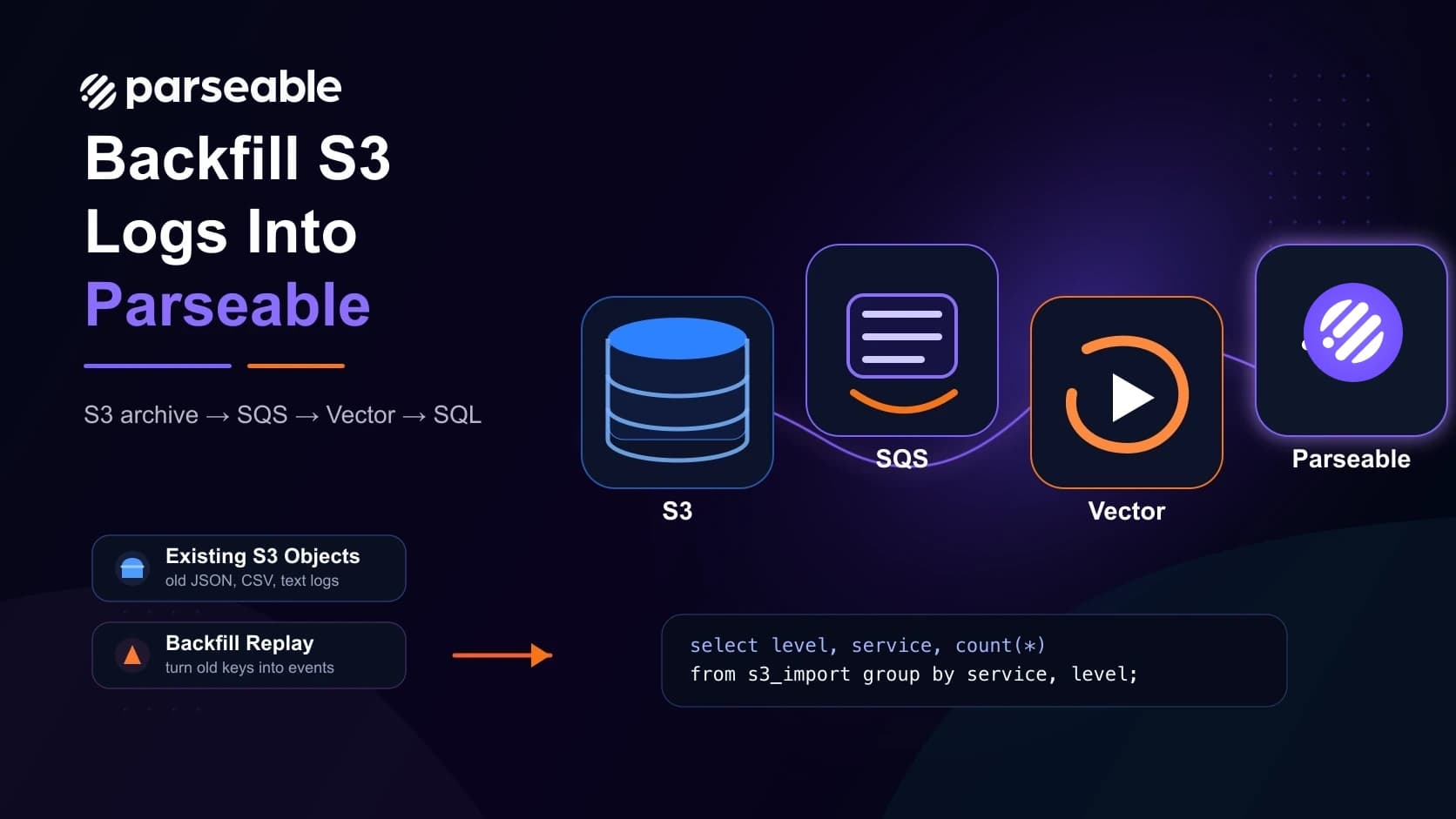
This guide walks through a practical pipeline for taking raw log files from S3 and ingesting them into Parseable, where they become queryable with SQL. The pipeline uses Vector, an observability data pipeline that can read S3 objects and send events to an HTTP endpoint. The core idea is simple:
S3 raw log files
  -> S3 object notification
  -> SQS queue
  -> Vector aws_s3 source
  -> Vector http sink
  -> Parseable ingest API
  -> Queryable Parquet data
There is one important detail: Vector's aws_s3 source is event-driven. It does not periodically scan an S3 bucket by itself. It expects S3 object-created events to arrive through SQS, then uses the event payload to fetch the referenced object from S3.
That design works very well for new uploads. For old files that are already present in S3, we need a backfill step that lists existing objects and sends equivalent S3 event messages to the same SQS queue.
Background
Imagine a customer has logs like this in an S3 bucket:
s3://customer-raw-logs/app/2026/06/09/app.ndjson
s3://customer-raw-logs/nginx/2026/06/09/access.log
s3://customer-raw-logs/audit/2026/06/09/events.json
A raw NDJSON file might look like this:
{"timestamp":"2026-06-09T10:00:00Z","level":"info","service":"checkout","host":"app-1","msg":"order created","user_id":"u-101","duration_ms":42}
{"timestamp":"2026-06-09T10:00:02Z","level":"error","service":"checkout","host":"app-1","msg":"payment gateway timeout","user_id":"u-101","duration_ms":3000}
{"timestamp":"2026-06-09T10:00:05Z","level":"info","service":"api","host":"api-2","msg":"request completed","user_id":"u-202","duration_ms":18}
New uploads: the standard process
For new logs, the architecture is straightforward:
Application or batch job
  -> writes raw file to S3
  -> S3 ObjectCreated notification
  -> SQS queue
  -> Vector
  -> Parseable
Note that Vector's S3 source is designed around S3 event notifications. So once the SQS queue is configured, the flow is:
  -> Vector receives SQS messages
  -> Vector reads bucket/key from the message
  -> Vector downloads the object from S3
  -> Vector emits one event per log line
This gives the pipeline a durable handoff point. If Vector is down for a short period, SQS can retain the notifications. When Vector starts again, it resumes polling the queue and continues processing objects. The SQS message does not contain the full log file. It only contains metadata such as bucket name and object key. Vector uses that metadata to fetch the object from S3.
Once bucket notifications are configured, every new object upload produces an event. Vector consumes that event and reads the object. For example, when this object lands in S3:
s3://customer-raw-logs/app/2026/06/09/app.ndjsonS3 sends a notification that includes the bucket and key:
{
  "Records": [
    {
      "eventName": "ObjectCreated:Put",
      "s3": {
        "bucket": {
          "name": "customer-raw-logs"
        },
        "object": {
          "key": "app/2026/06/09/app.ndjson"
        }
      }
    }
  ]
}
Vector receives this notification from SQS, downloads the object, and emits log events from the file.
Existing files: backfill flow
For old data, there is no new upload event. S3 will not automatically emit notifications for objects that were already present before the notification rule was created. That means backfill needs a small replay step:
Existing S3 objects
  -> backfill job lists bucket keys
  -> backfill job sends S3-style event messages to SQS
  -> Vector
  -> Parseable
The backfill job does not download or parse the objects. It only lists keys and creates the same kind of SQS messages that S3 would have sent for new uploads.
That keeps the ingestion path identical for both new and old data:
New uploads       -> S3 notification -> SQS
Existing objects  -> backfill replay -> SQS

SQS -> Vector -> Parseable
This is useful operationally because there is one pipeline to observe, one Vector configuration, and one Parseable ingest destination.
Local development with MinIO and LocalStack
I am going to show a local development setup that mimics the production AWS architecture. This is useful for testing the full path from S3 to Parseable before running against customer data. We can use:
- MinIO as an S3-compatible object store
- LocalStack as a local SQS-compatible service
- Vector as the pipeline runner
- Parseable running locally as the ingest target
There is one local-only wrinkle: AWS S3 can publish directly to AWS SQS, but MinIO's notification system is not the same service as LocalStack SQS. In a local Docker setup, a small bridge can receive MinIO webhook events and push equivalent messages into LocalStack SQS.
Local development looks like this:
MinIO bucket
  -> MinIO webhook notification
  -> local bridge
  -> LocalStack SQS
  -> Vector
  -> Parseable
Note that in production setup on AWS, the bridge is not needed. The bridge exists only to make local MinIO notification testing behave like the real S3-to-SQS production path. For the full end-to-end local ingest test, the simplest setup is to keep both S3 and SQS inside LocalStack, because Vector's aws_s3 source can then use one local AWS-compatible endpoint for the object and the queue.
A runnable local example is available in the Parseable blog samples repository: s3-backfill-vector-parseable-repo.
The sample includes:
docker-compose.ymlfor MinIO, LocalStack, Vector, and the local bridgevector.tomlwith theaws_s3source and Parseable HTTP sinksamples/app.ndjsonwith 120 sample log eventsscripts/backfill_s3_to_sqs.pyfor replaying existing objects- a README with exact setup, upload, backfill, and verification commands
At a high level, the local run looks like this:
git clone https://github.com/parseablehq/blog-samples.git
cd blog-samples/S3-back
cp .env.example .env
docker compose up -d minio localstack
docker compose --profile pipeline up -d bridge
The README then walks through creating the LocalStack SQS queue, uploading the sample NDJSON file to LocalStack S3, sending an S3-style event to SQS, starting Vector, and querying the imported events in Parseable.
Vector configuration
A minimal Vector configuration has an aws_s3 source and an http sink.
[sources.raw_s3_logs]
type = "aws_s3"
endpoint = "http://localstack:4566"
force_path_style = true
region = "us-east-1"
compression = "auto"

[sources.raw_s3_logs.auth]
access_key_id = "minioadmin"
secret_access_key = "minioadmin"

[sources.raw_s3_logs.sqs]
queue_url = "http://localstack:4566/000000000000/s3-events"
poll_secs = 5
delete_message = true

[sources.raw_s3_logs.framing]
method = "newline_delimited"

[sources.raw_s3_logs.decoding]
codec = "json"

[sinks.parseable]
type = "http"
inputs = ["raw_s3_logs"]
uri = "http://host.docker.internal:8000/api/v1/logstream/s3_import"
method = "post"
compression = "none"
payload_prefix = "["
payload_suffix = "]"

[sinks.parseable.auth]
strategy = "basic"
user = "admin"
password = "admin"

[sinks.parseable.encoding]
codec = "json"

[sinks.parseable.framing]
method = "character_delimited"

[sinks.parseable.framing.character_delimited]
delimiter = ","

[sinks.parseable.batch]
batch.max_events = 100
batch.timeout_secs = 1
The aws_s3 source polls SQS, reads the S3 object referenced by each message, and emits events. The HTTP sink batches those events and posts them to Parseable's ingest API.
Parseable expects the request body to be a JSON array of log objects:
[
  {
    "timestamp": "2026-06-09T10:00:00Z",
    "level": "info",
    "service": "checkout",
    "host": "app-1",
    "msg": "order created",
    "user_id": "u-101",
    "duration_ms": 42
  }
]
For NDJSON input, Vector reads one line at a time and produces one event per line. If the line is JSON, a transform can parse the message field into structured fields before sending it to Parseable.
Parsing raw logs into structured events
Raw S3 files often contain one of three formats:
JSON object per line
CSV row per line
Plain text line per event
For JSON logs, the transform can parse each line:
[transforms.parse_json]
type = "remap"
inputs = ["s3_logs"]
drop_on_error = false
source = '''
parsed, err = parse_json(.message)
if err == null {
  . = merge(., parsed)
}
'''

[sinks.parseable]
type = "http"
inputs = ["parse_json"]
uri = "http://host.docker.internal:8000/api/v1/logstream/s3_import"
method = "post"
auth.strategy = "basic"
auth.user = "admin"
auth.password = "admin"
encoding.codec = "json"
The raw line:
{"timestamp":"2026-06-09T10:00:02Z","level":"error","service":"checkout","msg":"payment gateway timeout","duration_ms":3000}becomes a structured event sent to Parseable:
{
  "timestamp": "2026-06-09T10:00:02Z",
  "level": "error",
  "service": "checkout",
  "msg": "payment gateway timeout",
  "duration_ms": 3000,
  "bucket": "customer-raw-logs",
  "key": "app/2026/06/09/app.ndjson",
  "source_type": "aws_s3"
}
Those additional context fields are useful during audits and debugging because they preserve where the event came from.
Querying the imported logs
After ingestion, the data is available in the Parseable stream configured in the HTTP sink. For example, if the stream is s3_import, we can query:
select level, service, host, msg, user_id, duration_ms
from s3_import
order by p_timestamp desc
limit 10;
To verify a backfill run:
select count(level) as rows
from s3_import;
For troubleshooting one service:
select service, level, count(*) as events
from s3_import
group by service, level
order by events desc;
The important shift is that old S3 files are no longer just archived blobs. They become part of the same queryable Parseable dataset as newly ingested logs.
Operational notes
There are a few practical details worth getting right before running this against customer data.
First, use a prefix filter when backfilling. Most customers have mixed data in S3 buckets, and the importer should process only the relevant log prefixes.
Second, keep the SQS queue as the single handoff point. New uploads and old backfill events should both enter the same queue so that Vector sees one consistent input stream.
Third, make the backfill job idempotent at the operational level. Replaying the same S3 object can ingest duplicate events unless the downstream pipeline has a deduplication strategy. For most first-pass migrations, it is better to track processed keys and replay deliberately.
Fourth, keep source metadata. Bucket, key, region, and timestamp fields make it much easier to explain where a record came from after the migration is complete.
Finally, test the full path locally before touching customer buckets. A MinIO and LocalStack setup is enough to validate the event shape, Vector parsing, Parseable authentication, and SQL verification query.
The mental model
The easiest way to understand this pipeline is to separate storage, notification, processing, and query.
S3 or MinIO stores the raw files.
SQS stores notifications about which files exist.
Vector turns file contents into HTTP events.
Parseable stores the events in Parquet and makes them queryable.
For new data, S3 creates the notification automatically.
For old data, a backfill script creates equivalent notifications.
Everything after SQS stays the same.
That is the key design choice. Instead of building a separate importer for historical logs and another pipeline for new logs, we use one ingestion path. The backfill job only makes old objects look like new object-created events.
Conclusion
S3 is a great place to keep raw logs, but storage alone does not make logs useful. By combining S3 notifications, SQS, Vector, and Parseable, teams can turn existing raw log archives into queryable datasets without moving away from object storage.
For production AWS, the path is direct: S3 sends object-created events to SQS, Vector reads the objects, and Parseable ingests structured JSON events.
For local development, MinIO and LocalStack provide a repeatable test environment. A small bridge is useful only because MinIO webhook notifications need to be adapted into SQS messages for Vector.
For historical data, the answer is backfill replay: list existing S3 objects, publish S3-style messages to SQS, and let the same Vector pipeline process them.
The result is a simple architecture that supports both future uploads and existing archives:
New logs -> S3 notification -> SQS -> Vector -> Parseable
Old logs -> backfill replay  -> SQS -> Vector -> Parseable
Once the data lands in Parseable, it is stored in Parquet on object storage and available through SQL. The logs that were once only archived are now operationally useful again.